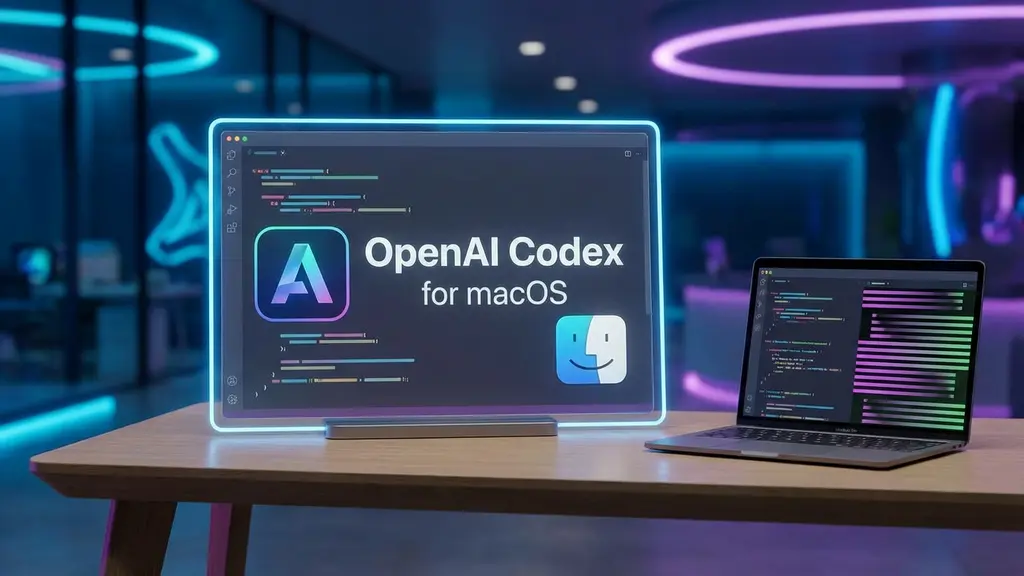
OpenAI hat eine eigenständige Codex-App für macOS veröffentlicht, die auf GPT-5.2 basierende Codierungsagenten tief in das Betriebssystem integriert. Das Tool nutzt isolierte Git-Arbeitsbäume, um komplexe Aufgaben parallel im Hintergrund zu lösen, ohne den aktiven Arbeitsablauf des Entwicklers im Haupteditor zu blockieren. Wir analysieren, wie sich dieser asynchrone „Manager”-Ansatz im direkten Vergleich zu Anthropics CLI-Konkurrenz schlägt.
GPT-5.2 Codex Engine: Das neue Modell speichert bis zu 400.000 Tokens im Kontextspeicher und generiert 128.000 Output-Tokens gleichzeitig, wodurch die Refaktorisierung ganzer Module ohne Unterbrechung möglich ist.
Git-Worktree-Isolation: Anstatt den Code live im Editor zu ändern („Ghost Typing“), erstellt die App unsichtbar eine isolierte Repository-Kopie für jede Aufgabe, sodass Entwickler asynchron und ohne Unterbrechung im Hauptzweig weiterarbeiten können.
Plattformexklusivität: Obwohl die Version auf Electron basiert, ist sie auf macOS 14 (Apple Silicon) beschränkt; Windows und Linux werden zunächst nichtunterstützt.
Im Preis inbegriffen: Die Nutzung ist in bestehenden Plänen ohne separates App-Abonnement enthalten, beginnend bei 20 $/Monat (ChatGPT Plus) mit einer Rate von etwa 160 Nachrichten alle 3 Stunden.
Automatisierung über AGENTS.md: Mit einer Konfigurationsdatei können feste Regeln („Skills“) und Zeitpläne definiert werden, die Agenten autonom aktivieren, z. B. @Daily um 3:00 Uhr morgens für Sicherheitsaudits .
Die Entwicklung zum „Command Center“: Spezifikationen und Architektur
Die Einführung der OpenAI Codex-App am 2. Februar 2026 markiert das Ende der Ära, in der Entwickler Code-Schnipsel manuell zwischen IDE und Browser hin und her kopieren mussten. Die Anwendung versteht sich nicht mehr als passiver Chatbot, sondern als native Kommandozentrale für agentenbasierte Workflows auf dem Desktop.
Die Engine: GPT-5.2 Codex
Das Herzstück der Architektur ist das neue Modellderivat GPT-5.2 Codex. Im Gegensatz zum generischen GPT-4o wurde dieses Modell speziell darauf trainiert, komplexe Softwarearchitekturen und Dateiabhängigkeiten zu verstehen. Die wichtigsten technischen Spezifikationen definieren einen neuen Standard für lokale Entwicklungsagenten:
400k-Kontextfenster: Das Modell kann bis zu 400.000 Token gleichzeitig im Speicher halten. Dadurch kann die App nicht nur einzelne Dateien, sondern die Struktur ganzer Repositorys überblicken.
128k-Ausgabetoken: Dadurch kann das Modell nicht nur kleine Funktionen, sondern ganze Module oder umfangreiche Refactorings in einem einzigen Durchgang generieren, ohne den Prozess zu unterbrechen.
Architekturwechsel: Vom Chat zum „Manager & Worker”
Die grundlegendste Änderung im UX-Design ist der Wechsel von synchronen Konversationen zu asynchroner Delegation. Während klassische KI-Codierungstools oft als synchrone „Paarprogrammierer” fungieren (der Benutzer wartet auf die KI), positioniert sich Codex als autonomer Mitarbeiter.
Dieses Manager-&-Worker-Modell ermöglicht echtes Multitasking:
Delegation: Der Entwickler (Manager) definiert Aufgaben im Kommandozentrum.
Parallele Agent-Threads: Die App startet mehrere Threads gleichzeitig. Ein Agent behebt im Hintergrund Fehler, während ein zweiter parallel Unit-Tests schreibt.
Nicht blockierend: Da die Agenten unabhängig voneinander arbeiten, bleibt die IDE für den Entwickler frei verfügbar.
Systemanforderungen und Preise
Obwohl die Architektur teilweise auf Webtechnologien (Electron) basiert, ist die App beim Start in Bezug auf die Hardware sehr eingeschränkt. OpenAI zielt zunächst auf das High-End-Segment der Web- und App-Entwicklung ab.
Hardwareanforderungen:
Betriebssystem: macOS 14 (Sonoma oder neuer).
Prozessor: Ausschließlich für Apple Silicon (M1/M2/M3/M4-Chips).
Inkompatibilität: Windows und Linux werden zum Zeitpunkt der Veröffentlichung nicht unterstützt.
Die Preisstruktur umfasst keine separaten App-Abonnements und ist in die bestehenden OpenAI-Tarife integriert:
Stufe
Kosten
Ratenbeschränkungen (Codex-App)
ChatGPT Plus
20 $/Monat
~160 Nachrichten alle 3 Stunden (oder 30–150 komplexe Agent-Aufgaben)
ChatGPT Pro
200 $/Monat
~300–1.500 Nachrichten alle 5 Stunden
Hinweis: Um die Einführung zu beschleunigen, wurden die Limits für den Start vorübergehend verdoppelt und kostenlosen Nutzern wurde ein eingeschränkter Zugriff gewährt.
Das größte Problem bei früheren KI-Codierungsassistenten in IDEs war das „Ghost Typing”: Während der Entwickler tippt, fügt die KI asynchron Codefragmente ein, bewegt den Cursor oder verursacht Syntaxfehler im Live-Build. Die Codex-App für macOS löst dieses architektonische Problem radikal durch die Verwendung von Git-Worktrees.
Architektur der Isolation
Anstatt direkt im geöffneten Editorfenster des Benutzers zu arbeiten, verwendet Codex eine headless Instanz des Repositorys. Wenn eine Aufgabe an einen Agenten übergeben wird, führt die App im Hintergrund unsichtbar die folgenden Schritte aus:
Erstellung eines Worktrees: Es wird ein temporärer Git-Worktree (eine Kopie des Repositorys in einem separaten Ordner) erstellt.
Verzweigung: Der Agent checkt einen neuen Feature-Zweig (z. B. fix-auth-bug) innerhalb dieses Worktrees aus.
Ausführung: Alle Dateioperationen, Testläufe und Commits finden in dieser isolierten Umgebung statt.
Der „Async Feature Branching”-Workflow
Diese Trennung macht den Ansatz mit parallelen Agent-Threads praktikabel. Ein Entwickler kann weiterhin an der Hauptfunktion arbeiten, ohne dass sich Dateien „wie von Zauberhand” ändern.
Ein konkretes Szenario aus der Praxis veranschaulicht die Stabilität dieses Workflows:
Vordergrund (Benutzer): Sie arbeiten aktiv an der Datei main.py. Der Build läuft stabil.
Hintergrund (Agent): Sie starten eine Aufgabe: „Untersuchen Sie, warum das Login-Token nach 5 Minuten abläuft, und beheben Sie das Problem.”
Prozess: Der Agent isoliert sich selbst. Er kann Tests fehlschlagen lassen, Dateien löschen oder umgestalten, ohne Ihre lokale Entwicklungsumgebung zu stören.
Zusammenführen: Erst nach Abschluss meldet sich der Agent mit einem fertigen Diff zurück. Sie entscheiden aktiv über die Zusammenführung, anstatt live zu beobachten, wie Code geschrieben wird.
Vergleich: Isolation vs. direkte Bearbeitung
Dieser Ansatz unterscheidet die Codex-App grundlegend von CLI-Tools wie Anthropic Claude Code, die eher wie „Paarprogrammierer“ funktionieren.
Funktion
OpenAI Codex App
Claude Code (CLI) / IDE-Plugins
Bearbeitungsmodus
Asynchron & isoliert:Der Agent arbeitet in einem separaten Arbeitsverzeichnis.
Synchron und direkt:Agent bearbeitet die „echten” Dateien live.
Benutzererfahrung
Aus Sicht des Managers:Sie delegieren Aufgaben und arbeiten parallel weiter.
Paarprogrammierung:Sie beobachten oder warten, bis der Agent fertig ist.
Risiko
Kein Ghost Typing:Ihr Editor-Status bleibt bis zur Zusammenführung unverändert.
Konfliktpotenzial:Gleichzeitiges Tippen kann zu ungültigem Code führen.
Build-Stabilität
Hintergrundtests können fehlschlagen, ohne den Benutzer zu blockieren.
Ein KI-Fehler kann den lokalen Entwicklungsserver zum Absturz bringen.
Durch die Verwendung von Git Worktrees wird die Codex-App weniger zu einem Chatbot und mehr zu einem autonomen Mitarbeiter, der in seinem eigenen „Büro” (Zweig) arbeitet, bis das Ergebnis präsentiert werden kann.
Praktischer Leitfaden: Asynchrone Fehlerbehebung mit AGENTS.md
Der größte Produktivitätskiller in der Entwicklung ist der Kontextwechsel. Die Codex-App behebt dieses Problem mit asynchroner Feature-Verzweigung. Anstatt die Arbeit an der aktuellen Funktion zu unterbrechen, um einen Fehler zu beheben, delegieren Sie die Reparatur an einen Hintergrundagenten. Der Kern dieser Architektur ist diestrikte Isolierung von Git Worktree.
Der Workflow: Fehlerbehebung ohne Unterbrechung
Die Codex-App fungiert nicht als Pair-Programmierer (wie GitHub Copilot), sondern als autonomer Mitarbeiter. Ein typisches Szenario für parallele Agent-Threads:
Entdeckung: Während Sie an main.py arbeiten, bemerken Sie einen Fehler im Auth-Modul, möchten aber Ihren aktuellen Arbeitsfluss nicht unterbrechen.
Delegierung (Aufforderung): Sie geben Codex den Befehl: „Erstellen Sie einen neuen Zweig fix-auth-bug. Untersuchen Sie, warum das Login-Token nach 5 Minuten abläuft, und beheben Sie den Fehler. Schreiben Sie einen Test dafür.“
Isolation: Codex erstellt im Hintergrund unsichtbar einen Git-Arbeitsbaum (eine Kopie des Repositorys in einem separaten Ordner). Ihr aktiver Editor bleibt unverändert – es gibt kein „Ghost Typing“, das Ihren Code plötzlich verändert.
Ausführung und Zusammenführung: Der Agent checkt den Zweig aus, führt Tests durch, bearbeitet den Code und überträgt die Korrektur. Sobald dies abgeschlossen ist, meldet Codex: „Die Korrektur ist fertig und getestet. Hier ist der Diff.“ Mit einem Klick auf „Zusammenführen“ wird die Lösung integriert .
Konfiguration über AGENTS.md
Um sicherzustellen, dass der Agent nicht „blind“ korrigiert, sondern sich an die Projektstandards hält, ist die Konfiguration über eine AGENTS.md-Datei im Stammverzeichnis unerlässlich. Hier definieren Sie „Fähigkeiten“ und feste Regeln.
Für das oben erwähnte Szenario der Fehlerbehebung verhindert AGENTS.md, dass ungetesteter Code zusammengeführt wird oder während der Korrektur Sicherheitslücken entstehen.
Beispielkonfiguration für die Qualitätssicherung:
# AGENTS.md (Qualitätskontroll-Fähigkeit)

## Regeln
- Führen Sie NIEMALS eine Korrektur durch, ohne zuvor die entsprechende Unit-Test-Suite auszuführen.
- Wenn Tests fehlschlagen, fassen Sie das Fehlerprotokoll im Chat zusammen und brechen Sie die Korrektur ab.
- Verwenden Sie eindeutige Variablennamen (keine einzelnen Buchstaben wie „x“ oder „i“).

## Hintergrundaufgabenplan
- @Täglich um 03:00 Uhr: Führen Sie die vollständige Regressionstestsuite aus und erstellen Sie Fehlerberichte für Fehler.
Diese Regeln zwingen den GPT-5.2-Codex zur Einhaltung der Disziplin. Das Ergebnis ist ein Workflow, in dem der Entwickler als „Manager” fungiert, während der Agent die zeitaufwändigen Debugging-Aufgaben isoliert durchführt.
Einrichtung: Konfigurieren von AGENTS.md
Das Herzstück der Anpassung in der Codex-App ist AGENTS.md. Diese Datei fungiert als dauerhaftes Regelwerk und Aufgabenplaner für das zugrunde liegende GPT-5.2-Modell. Anstatt dem Agenten bei jeder Eingabeaufforderung erklären zu müssen, wie er testen oder bereitstellen soll, speichern Entwickler hier projektspezifische Fähigkeiten und Sicherheitsrichtlinien.
Definition von Regeln als „harte Einschränkungen“
In AGENTS.md können explizite Regeln definiert werden, die der Agent als Leitplanken priorisiert. Dies ist besonders wichtig, um halluzinierte oder unsichere Code-Operationen zu verhindern. Das System scannt diese Datei vor der Ausführung jeder Aufgabe.
Eine typische Konfiguration umfasst Bereitstellungssperren für fehlgeschlagene Tests oder bestimmte Formatierungsanforderungen:
# AGENTS.md (Bereitstellungsfunktion)

## Regeln
- Niemals in der Produktion bereitstellen, ohne zuvor „npm run test:e2e“ auszuführen.
- Wenn Tests fehlschlagen, das Fehlerprotokoll zusammenfassen und abbrechen. Versuchen Sie NICHT, ohne Genehmigung eine Brute-Force-Korrektur durchzuführen.
- Verwenden Sie immer die starre Typisierung von TypeScript und vermeiden Sie „any“.

## Hintergrundaufgaben-Zeitplan
- @Täglich um 08:00 Uhr: Führen Sie eine Abhängigkeitsprüfung durch und erstellen Sie PR für Sicherheitsupdates.
- @Alle 3 Stunden: Überprüfen Sie den Issue Tracker auf neue Fehlerberichte und erstellen Sie Entwürfe für Korrekturvorschläge.
Automatisierung über Zeitpläne
Eine Besonderheit der Codex-App im Vergleich zu reinen Chat-Schnittstellen (wie Claude Code CLI) ist die native Integration von cron-ähnlichen Hintergrundaufgaben. Wie im Code-Schnipsel unter „Zeitplan für Hintergrundaufgaben“ zu sehen ist, können sich wiederholende Wartungsaufgaben delegiert werden.
Syntax: Befehle wie @Daily oder @Every [Zeit] lösen den Agenten aus.
Ausführung: Diese Aufgaben werden in parallelen Agent-Threads ausgeführt. Dank Git Worktree Isolation checkt der Agent einen separaten Branch für diese geplante Aufgabe aus, führt die Abhängigkeitsprüfung durch und erstellt einen Pull-Request.
Auswirkungen für den Benutzer: Der Entwickler wird nicht gestört („zero friction“), da der Hauptzweig im Editor unberührt bleibt, bis der PR zur Überprüfung bereit ist.
Diese Konfiguration verwandelt die App von einem bloßen „Assistenten“ in ein proaktives Teammitglied, das die Code-Hygiene unabhängig überwacht.
„Manager-Modus“: Delegierung über asynchrone Threads
In der Codex-App für macOS ändert sich das Prompt-Paradigma im Vergleich zu klassischen Chat-Oberflächen grundlegend. Der Benutzer agiert nicht mehr als Pair-Programmierer, der Zeile für Zeile überwacht, sondern als Manager, der Aufgaben an einen Mitarbeiter delegiert. Der Prompt zielt darauf ab, eine Aufgabe vollständig im Hintergrund zu erledigen.
Ein typischer Befehl zur Fehlerbehebung würde wie folgt aussehen:
Prompt: „Erstelle einen neuen Branch fix-auth-bug. Untersuche, warum das Login-Token nach 5 Minuten abläuft, und behebe den Fehler. Schreibe einen Test dafür.”
Ausführung über „Git Worktree Isolation”
Sobald dieser Befehl ausgegeben wird (Sendetaste: Enter), startet die Codex-App einen parallelen Agent-Thread. Im Gegensatz zu synchronen CLIs (wie Claude Code), die den aktuellen Editor blockieren könnten, verwendet Codex hierfür die fortschrittliche Git Worktree Isolation.
Der Prozess im Detail:
Isolation: Der Agent erstellt unsichtbar einen Git Worktree – eine Kopie des Repositorys in einem separaten Ordner.
Analyse und Behebung: Das Modell (GPT-5.2 Codex) überprüft den Fix-Auth-Bug-Zweig, liest den Code und nimmt Änderungen vor.
Kein Ghost Typing: Während der Agent im Hintergrund Unit-Tests schreibt und den Auth-Bug behebt, kann der Entwickler ohne Unterbrechung an einer anderen Funktion im Hauptfenster weiterarbeiten. Es gibt keine „magisch” sich ändernden Zeilen im aktiven Editor.
Abschluss: Der Agent meldet sich erst zurück, wenn die Aufgabe abgeschlossen ist: „Die Korrektur ist fertig und getestet. Hier ist der Diff.” Der Benutzer muss nur noch die Zusammenführung bestätigen .
Steuerung der Prompt-Qualität über AGENTS.md
Um sicherzustellen, dass der Agent bei der „Behebung und dem Testen” (wie in der Eingabeaufforderung gefordert) die richtigen Standards einhält, verwendet die Codex-App Konfigurationsdateien im Repository. Eingabeaufforderungen werden implizit durch eine AGENTS.md-Datei angereichert, die „Fähigkeiten” und Regeln für den Agenten festlegt.
Hier ist ein Beispiel für eine solche Regeldefinition, die sicherstellt, dass die Authentifizierungsbehebung die Produktion nicht beeinträchtigt:
# AGENTS.md (Bereitstellungsfähigkeiten)
## Regeln
- Niemals in der Produktion bereitstellen, ohne zuvor „npm run test:e2e“ auszuführen.
- Wenn Tests fehlschlagen, das Fehlerprotokoll zusammenfassen und abbrechen.

## Hintergrundaufgabenplan
- @Täglich um 08:00 Uhr: Abhängigkeitsprüfung durchführen und PR für Sicherheitsupdates erstellen.
Diese Kombination aus Befehlen in natürlicher Sprache und einer festen Richtlinie im Repository minimiert das Risiko von Halluzinationen oder fehlerhaften Korrekturen bei der asynchronen Verarbeitung.
Das zentrale Versprechen der neuen Codex-App auf macOS ist die Abkehr vom synchronen „Pair Programming“ hin zu einem asynchronen Manager-Worker-Modell. Dies basiert auf dem GPT-5.2-Codex-Modell in Kombination mit einer architektonischen Entscheidung, die den Workflow von Entwicklern grundlegend respektiert: Git Worktree Isolation.
Technische Grundlage: Git Worktree Isolation
Bisherige KI-Codierungstools schreiben oft direkt in den aktiven Editor („Ghost Typing”) und zwingen den Entwickler zum Zuschauen. Codex hingegen erstellt unsichtbar für jede Aufgabe einen isolierten Git Worktree – eine Kopie des Repositorys in einem separaten Ordner, der auf einem eigenen Branch arbeitet.
Dies ermöglicht echtes Multitasking:
Der Benutzer arbeitet im Hauptfenster an Funktion A (main.py).
Der Agent arbeitet im Hintergrund an der Fehlerbehebung B (in einer isolierten Instanz).
Während der Schreibphase gibt es keine Dateisperren oder Merge-Konflikte.
Ein konkretes Szenario aus der Beta-Phase veranschaulicht den Arbeitsablauf: Während der Arbeit an einer neuen Funktion entdeckt ein Entwickler einen Authentifizierungsfehler. Anstatt den Kontext zu wechseln, delegiert er die Fehlerbehebung.
Eingabeaufforderung: „Erstellen Sie einen neuen Zweig fix-auth-bug. Untersuchen Sie, warum das Anmeldetoken nach 5 Minuten abläuft, beheben Sie den Fehler und schreiben Sie einen Test.”
Hintergrundprozess: Der Agent checkt den Zweig im isolierten Arbeitsverzeichnis aus, führt Tests durch und überträgt die Fehlerbehebung.
Benutzerstatus: Der Entwickler tippt ungestört weiter. Es erscheinen keine Codezeilen im Sichtfeld.
Zusammenführen: Codex meldet: „Die Korrektur ist fertig und getestet.“ Der Benutzer überprüft den Unterschied und klickt auf „Zusammenführen“.
Architekturvergleich: synchron vs. asynchron
Der Unterschied zu Marktkonkurrenten wie Anthropic Claude Code liegt in der Philosophie der Zusammenarbeit:
Funktion
OpenAI Codex App (asynchron)
Klassische KI-Tools / Claude Code (synchron)
Rolle der KI
Mitarbeiter:Verarbeitet Aufgaben im Hintergrund.
Paarprogrammierer:Arbeitet mit Ihnen im Terminal/Editor zusammen.
Editor-Status
Statisch:Ihr Code ändert sich nur, wenn er zusammengeführt wird.
Dynamisch:Sie können in Echtzeit sehen, wie der Code bearbeitet wird.
Kontext
Parallele Threads:Mehrere Agenten können verschiedene Probleme gleichzeitig lösen.
Einzelner Thread:Konzentrieren Sie sich jeweils auf ein Problem.
Ideal für
Refactoring, Testschreiben, Fehlerbehebung im Hintergrund.
Komplexe Fehlersuche, die menschliche Intuition in Echtzeit erfordert.
Automatisierung über AGENTS.md
Zusätzlich zur direkten Interaktion können geplante Hintergrundaufgaben über eine Konfigurationsdatei (AGENTS.md) definiert werden. Diese laufen völlig autonom, beispielsweise nachts, wenn die Rechenlast geringer ist.
# AGENTS.md (Beispiel: Nächtliche Sicherheitsüberprüfung)

## Hintergrundaufgaben-Zeitplan
- @Täglich 03:00 Uhr: `npm audit` ausführen.
- Wenn kritische Schwachstellen gefunden werden:
1. Neuen Branch `security-fix-[Datum]` erstellen.
2. Versuchen, Pakete zu aktualisieren.
3. `npm test` ausführen.
4. Nur PR erstellen, wenn Tests erfolgreich sind.
Diese Automatisierungen verwandeln die Codex-App von einem reinen Chatbot in einen CI/CD-ähnlichen Agenten, der die Codebasis aktiv pflegt, selbst wenn der Entwickler offline ist.
Der Merge-Prozess in der Codex-App unterscheidet sich grundlegend von früheren KI-Codierungstools. Da die App eher als asynchroner Agent denn als synchroner „Paarprogrammierer” fungiert, verschiebt sich die Rolle des Entwicklers vom Co-Autor zum Code-Reviewer.
Worktree-Isolation als Sicherheitsnetz
Der technische Kern dieses Workflows ist die Verwendung von Git Worktrees. Während herkömmliche Copiloten oft direkt in den offenen Dateipuffer schreiben („Ghost Typing”), arbeitet der Codex-Agent in einer isolierten Umgebung.
Keine Konflikte: Der Agent erstellt unsichtbar eine Kopie des Repositorys in einem separaten Ordner und checkt einen temporären Branch aus (z. B. für eine Fehlerbehebung).
Ununterbrochener Arbeitsfluss: Der Entwickler kann im Hauptfenster weiter an main.py arbeiten, ohne dass sich Dateien plötzlich ändern oder Cursor springen.
Sicherheit: Fehlerhafte Schleifen, wie sie gelegentlich bei GPT-5.2 Codex gemeldet werden (endlose Schleifen ohne Ausgabe), zerstören nicht den aktuellen Arbeitsstatus im Editor, da sie in einer Art Sandbox im Worktree gefangen bleiben.
Der Überprüfungs-Workflow
Sobald der Agent eine Aufgabe abgeschlossen hat (z. B. „Fix Login Token Timeout”) und Tests im Hintergrund durchgeführt hat, ändert sich der Status in der App.
Benachrichtigung: Die App meldet „Korrektur abgeschlossen und getestet“.
Diff-Prüfung: Mit einem Klick öffnet sich eine spezielle Diff-Ansicht. Hier wird nicht nur die Codeänderung angezeigt, sondern oft auch der Kontext der bestandenen Tests.
Entscheidung: Der Benutzer hat zwei Optionen:
Verfeinerung: Zurück zum Agenten mit Feedback („Weiteres Fehlerprotokoll hinzufügen“).
Merge: Übertragen Sie die Änderungen mit einem Mausklick in den Hauptzweig.
Vergleich: Isolation vs. Live-Bearbeitung
Der Ansatz der Codex-App unterscheidet sich drastisch von Befehlszeilentools wie Claude Code, was sich direkt auf die Benutzererfahrung (UX) während der Überprüfung auswirkt:
Funktion
OpenAI Codex App (macOS)
Anthropic Claude Code (CLI)
Bearbeitungsmodus
Asynchron/isoliert: Der Agent codiert im Hintergrund (Worktree). Keine visuelle Beeinträchtigung des aktuellen Editors.
Synchron/direkt:Der Agent bearbeitet Dateien live. Änderungen sind sofort im Editor sichtbar.
Steuerung
Review-First:Der Code wird erst nach einem expliziten „Merge” in den Arbeitsbereich übernommen.
Monitor-First:Sie beobachten den Agenten beim Schreiben und müssen eingreifen, wenn Fehler auftreten.
Commit-Strategie
Der Agent führt häufig granulare Commits im Feature-Zweig durch; der Benutzer führt das Merge des fertigen Zweigs/PR durch.
Der Agent ändert Dateien direkt; der Benutzer muss die Änderungen anschließend committen.
Risiko
Geringes Risiko für den aktuellen Kontext (Kontextwechsel).
Hohes Risiko der Ablenkung, wenn Dateien während des Lesens geändert werden.
Dieser „Manager & Worker”-Ansatz positioniert die Codex-App eindeutig für Aufgaben, die parallel ausgeführt werden sollten – wie z. B. die Behebung von Fehlern über Nacht oder die Umgestaltung von Legacy-Code, während der Entwickler tagsüber neue Funktionen erstellt.
Hier prallen zwei völlig unterschiedliche Entwicklerphilosophien aufeinander. Während Anthropic auf die direkte Interaktion im Terminal mit Claude Code (Sonnet 3.7/Opus) setzt, versucht OpenAI mit der Codex-App, den Entwickler vom reinen Programmierer zum Manager zu erheben.
Ein direkter Vergleich der Architektur
Der Hauptunterschied liegt darin, wie – und wo – der KI-Agent in den Code eingreift.
Funktion
OpenAI Codex-App
Anthropic Claude Code (CLI)
Philosophie
Manager & Worker:Der Agent arbeitet autonom im Hintergrund (asynchron). Sie delegieren, er führt aus.
Pair Programmer:Sie debuggen den Code gemeinsam im Terminal (synchron). Direkter Dialog „Zeile für Zeile”.
Code-Isolation
Git Worktrees:Codex verwendet unsichtbare, isolierte Kopien des Repositorys. Ihr Editor bleibt sauber, bis Sie die Korrektur zusammenführen.
Direkte Bearbeitung:Claude bearbeitet Ihre Dateien live. Änderungen erfolgen direkt vor Ihren Augen.
Plattform
macOS Native(Electron Core). Windows und Linux werden derzeit nicht unterstützt.
Terminal CLI(plattformunabhängig). Läuft nativ unter macOS, Windows und Linux.
Preise
Flatrate:In ChatGPT Plus enthalten (20 $/Monat). Vorhersehbare Kosten für Power-User.
Pay-per-Token(API) oder Pro-Sub. Power-User berichten oft von deutlich höheren Kosten.
Best Case
„Entwickle diese Funktion über Nacht und erstelle einen PR.“
„Helfen Sie mir, diesen komplexen Race-Condition-Fehler _jetzt_ zu verstehen.“
Asynchronität statt „Ghost Typing“
Die Codex-App löst ein UX-Problem, an dem viele KI-Codierungstools scheitern: Ablenkung.
Durch die Verwendung von Git Worktrees erstellt die App eine isolierte Umgebung für jede Aufgabe (z. B. „Refactor Auth Modules“). Während der Agent Dateien ändert, Tests schreibt und Commits pusht, bleibt Ihr Hauptfenster in VS Code oder Xcode unberührt. Sie arbeiten an Branch A, der Agent arbeitet an Branch B. Es gibt kein „Ghost Typing“, bei dem plötzlich Codezeilen im Editor erscheinen und Ihren Arbeitsfluss unterbrechen.
Im Gegensatz dazu ist Claude Code auf maximale Transparenz ausgelegt. Sie können in der CLI genau sehen, welche Datei geöffnet ist und bearbeitet wird. Dies ist ideal für tiefgreifendes Debugging, bei dem Sie den Denkprozess der KI Schritt für Schritt validieren müssen, blockiert jedoch häufig den Workflow für parallele Aufgaben.
Der Plattformkrieg: Electron vs. CLI
Ein großer Kritikpunkt der Community an OpenAI ist dessen Exklusivität. Obwohl die Codex-App technisch auf Webtechnologien (Electron) basiert, ist sie künstlich auf macOS (Apple Silicon) beschränkt. Claude Code hingegen punktet hier dank seiner Flexibilität: Als reines CLI-Tool lässt es sich nahtlos in jede bestehende Linux- oder Windows-Pipeline integrieren. Wer in WSL2 oder auf einem Remote-Server entwickelt, ist mit der Codex-App derzeit im Nachteil.
Entscheidungshilfe:
Wählen Sie die Codex-App, wenn Sie Standard-Tickets („Update-Abhängigkeiten“, „Tests schreiben“) automatisieren und sich auf Architekturentscheidungen konzentrieren möchten.
Entscheiden Sie sich für Claude Code, wenn Sie in einer plattformübergreifenden Umgebung arbeiten oder einen intelligenten Partner für komplexes Live-Debugging benötigen.
Urteil der Community: „Scheinexklusivität“ und Anlaufschwierigkeiten
Seit dem Start am 2. Februar dominieren auf Plattformen wie Reddit (r/codex, r/LocalLLaMA) und HackerNews weniger die Bewunderung für die neuen Agent-Funktionen als vielmehr die Frustration über technische Entscheidungen und Usability-Hürden. Die Kritik konzentriert sich auf drei Kernbereiche: Plattform-Richtlinien, UI-Design und Modellstabilität.
Die „Electron-Lüge“
Die wohl lauteste Kritik betrifft die mangelnde Unterstützung für Windows und Linux. Obwohl die Codex-App technisch auf dem Electron-Framework basiert – d. h. sie verwendet plattformunabhängige Webtechnologien –, beschränkt OpenAI den Zugriff künstlich auf macOS (Apple Silicon).
Die Entwickler-Community sieht darin Arroganz. Ein viel zitierter Kommentar auf Reddit fasst die Stimmung zusammen: „Die eigentliche Arbeit wird unter Linux erledigt. Das wissen sie … [aber] es wird macOS Vorrang eingeräumt.” Die Tatsache, dass eine App, die nicht nativ in Swift/Objective-C geschrieben ist, dennoch exklusiv für Mac veröffentlicht wird, nährt den Verdacht, dass es sich hierbei eher um eine Marketingentscheidung als um eine technische Notwendigkeit handelt. Im direkten Vergleich schneidet Claude Code (CLI), das als Terminal-Tool unabhängig vom System läuft, hier sehr gut ab.
UI/UX: Chat-Client vs. IDE
Auch beim Interface-Design gehen die Meinungen auseinander. Während das minimalistische Design visuell ansprechend sein soll, kritisieren Power-User massive Unterbrechungen im Workflow:
Muskelgedächtnis-Konflikt: In jeder IDE erzeugt die Eingabetaste eine neue Zeile. In der Codex-App sendet die Eingabetaste den Befehl sofort. Das Fehlen von Standard-IDE-Shortcuts (z. B. Shift-Eingabetaste für Zeilenumbrüche als Standard) führt zu unerwünschten „Fehlzündungen” von Eingabeaufforderungen.
Lesbarkeit: Die gewählte Schriftart wird oft als zu dünn („zu dünne/leichte Schriftstärke”) kritisiert, was insbesondere bei längeren Code-Reviews die Augen ermüdet.
Qualitätsrückgang: Die „Endlosschleifen“
Das schwerwiegendste technische Problem scheint jedoch das zugrunde liegende GPT-5.2-Codex-Modell zu betreffen. Benutzer berichten von sogenannten „Inferenzschleifen”. In diesen Schleifen bleibt der Agent in einer Schleife hängen, in der er wiederholt Dateien liest („Reading main.py…”), ohne jemals produktiven Code zu schreiben oder Änderungen zu committen.
Im direkten Vergleich mit der Konkurrenz besteht hier derzeit eine Stabilitätslücke:
Problembereich
OpenAI Codex (GPT-5.2)
Anthropic Claude Code (Sonnet 3.7)
Schleifen
Häufig:Der Agent bleibt im „Lesemodus“ ohne Ausgabe hängen.
Selten: Reagiert direkter und bricht bei Fehlern schneller ab.
Kontextverarbeitung
Verliert gelegentlich während langer Sitzungen den Überblick (trotz 400k-Fenster).
Derzeit als stabiler für komplexe Refactorings („Nadel im Heuhaufen“) angesehen.
Ausgabe
Neigt dazu, Dateien vollständig neu zu schreiben (höherer Token-Verbrauch).
Präziser bei chirurgischen Eingriffen (diff-basierte Bearbeitungen).
Diese Anlaufschwierigkeiten deuten darauf hin, dass die Codex-App zwar als leistungsstarke „Kommandozentrale“ konzipiert ist, in der täglichen Praxis jedoch noch hinter der Stabilität reiner CLI-Lösungen wie Claude Code zurückbleibt.
Fazit
Die OpenAI Codex-App ist ein faszinierendes Versprechen, das an seiner eigenen Umsetzung scheitert. Der architektonische Wechsel von synchronem „Pair Programming“ zu einem asynchronen „Manager & Worker“-Modell unter Verwendung von Git Worktrees ist revolutionär. Endlich bastelt die KI nicht mehr live im Editor herum („Ghost Typing“), sondern liefert fertige Ergebnisse über Pull-Requests. Das ist der Workflow, den wir uns immer gewünscht haben.
Allerdings wirkt das Produkt selbst arrogant und unfertig. Die Tatsache, dass eine auf Webtechnologien (Electron) basierende App künstlich auf macOS beschränkt ist, ist ein Schlag ins Gesicht der Entwickler-Community. Hinzu kommen massive Kinderkrankheiten wie „Inferenzschleifen“ und fragwürdige UI-Entscheidungen, die den Beta-Status verraten. Im direkten Vergleich ist die Claude Code CLI derzeit das robustere, ehrlichere Tool – weniger „Magie im Hintergrund“, dafür aber zuverlässig und plattformunabhängig.
Unsere Empfehlung:
Installieren Sie es, wenn: Sie auf einem Apple Silicon Mac entwickeln, bereits ChatGPT Plus haben und repetitive Aufgaben (Tests schreiben, Refactoring, Abhängigkeits-Updates) vollständig delegieren möchten. Der asynchrone Workflow ist unschlagbar, um im „Flow” zu bleiben.
Bleiben Sie bei Claude Code (oder Copilot), wenn: Sie Windows/Linux verwenden, maximale Stabilität benötigen oder tiefgreifendes Debugging durchführen, bei dem Sie den Denkprozess der KI live kontrollieren müssen. Wenn Sie Termine einhalten müssen, können Sie sich keine „endlosen Schleifen“ leisten.
Nächster Schritt:
Betrachten Sie die Codex-App als Testfeld für die Zukunft der Arbeit, aber verlassen Sie sich bei kritischen Projekten noch nicht darauf. Die Architektur (Worktrees) wird zum Industriestandard werden – aber es bleibt abzuwarten, wer sie am besten umsetzen wird. OpenAI hat die Führung übernommen, muss nun aber dringend technische (Stabilität) und politische (Plattform-Offenheit) Verbesserungen vornehmen.
Florian Schröder ist Experte im Online-Marketing mit Schwerpunkt PPC (Pay-Per-Click) Kampagnen. Die revolutionären Möglichkeiten der KI erkennt er nicht nur, sondern hat sie bereits fest in seine tägliche Arbeit integriert, um innovative und effektive Marketingstrategien zu entwickeln.
Er ist überzeugt davon, dass die Zukunft des Marketings untrennbar mit der Weiterentwicklung und Nutzung von künstlicher Intelligenz verbunden ist und setzt sich dafür ein, stets am Puls dieser technologischen Entwicklungen zu bleiben.
Wir verwenden Technologien wie Cookies, um Geräteinformationen zu speichern und/oder darauf zuzugreifen. Wir tun dies, um das Surferlebnis zu verbessern und um personalisierte Werbung anzuzeigen. Wenn Sie diesen Technologien zustimmen, können wir Daten wie das Surfverhalten oder eindeutige IDs auf dieser Website verarbeiten. Wenn Sie Ihre Zustimmung nicht erteilen oder zurückziehen, können bestimmte Funktionen beeinträchtigt werden.
Funktional
Immer aktiv
Die technische Speicherung oder der Zugang ist unbedingt erforderlich für den rechtmäßigen Zweck, die Nutzung eines bestimmten Dienstes zu ermöglichen, der vom Teilnehmer oder Nutzer ausdrücklich gewünscht wird, oder für den alleinigen Zweck, die Übertragung einer Nachricht über ein elektronisches Kommunikationsnetz durchzuführen.
Vorlieben
Die technische Speicherung oder der Zugriff ist für den rechtmäßigen Zweck der Speicherung von Präferenzen erforderlich, die nicht vom Abonnenten oder Benutzer angefordert wurden.
Statistiken
Die technische Speicherung oder der Zugriff, der ausschließlich zu statistischen Zwecken erfolgt.Die technische Speicherung oder der Zugriff, der ausschließlich zu anonymen statistischen Zwecken verwendet wird. Ohne eine Vorladung, die freiwillige Zustimmung deines Internetdienstanbieters oder zusätzliche Aufzeichnungen von Dritten können die zu diesem Zweck gespeicherten oder abgerufenen Informationen allein in der Regel nicht dazu verwendet werden, dich zu identifizieren.
Marketing
Die technische Speicherung oder der Zugriff ist erforderlich, um Nutzerprofile zu erstellen, um Werbung zu versenden oder um den Nutzer auf einer Website oder über mehrere Websites hinweg zu ähnlichen Marketingzwecken zu verfolgen.